
Even in an era dominated by AI-driven smartphone cameras and computational photography dominate the visual landscape, understanding the core mechanics of an image remains a superpower. While "Auto Mode" has become incredibly smart, it cannot replicate creative intent.
Whether you are a budding influencer, a graphic designer looking to improve your visual eye, or a hobbyist with a new mirrorless camera, the fundamentals remain the same. Mastering the basics allows you to dictate how a moment is captured, rather than letting a microchip guess for you.
This guide breaks down the 7 basics of photography—essential pillars that will transform your snapshots into professional-looking images without requiring expensive gear.
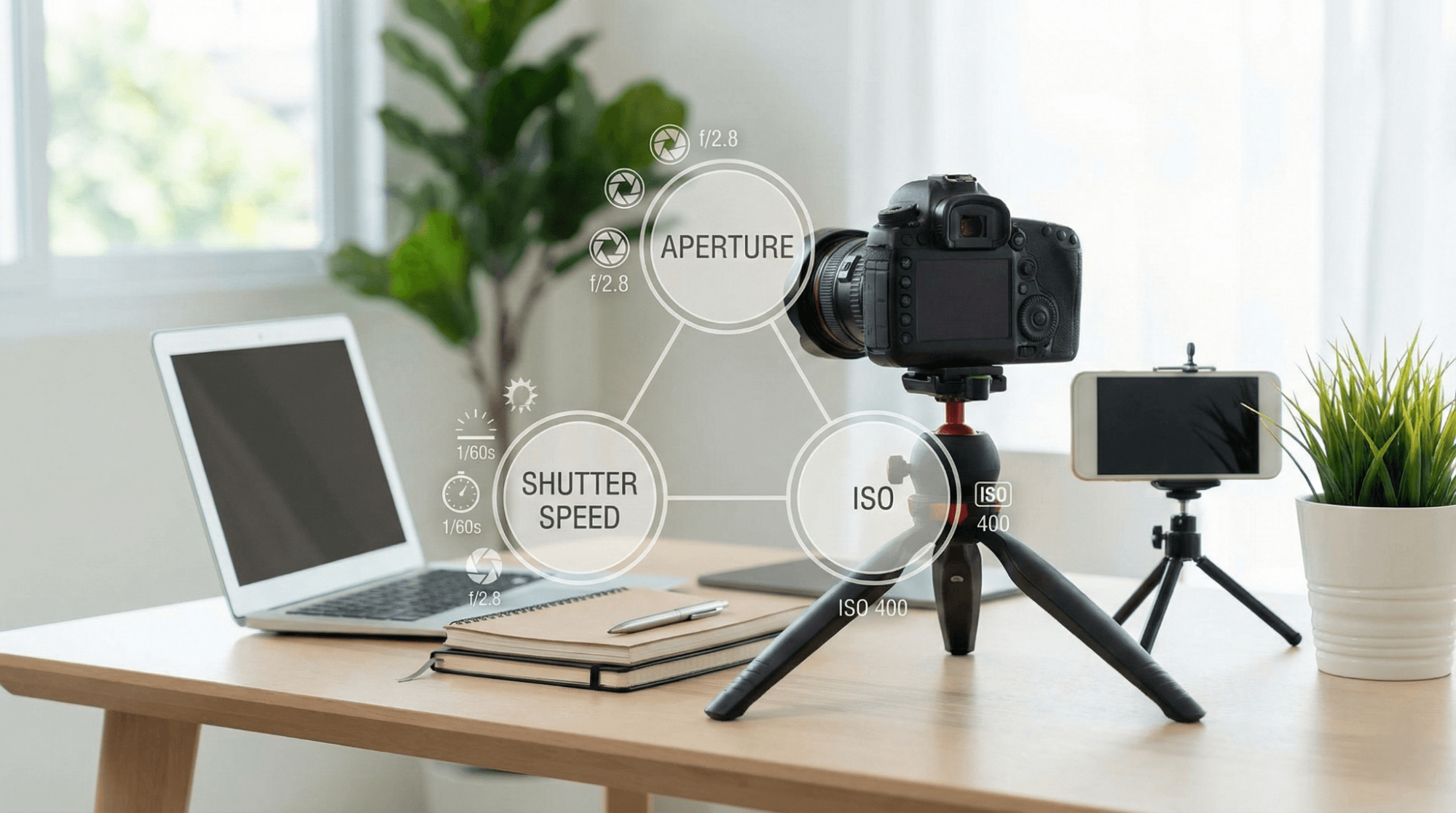
1. Exposure
Brief Explanation
Exposure is the fundamental measure of how light or dark your image is. It is not just about brightness; it is about capturing the correct amount of detail in both the shadows (dark areas) and highlights (bright areas).
Key Points
- The Foundation: Exposure is determined by three variables: Aperture, Shutter Speed, and ISO (often called the Exposure Triangle).
- Balance: A "correctly" exposed image looks natural to the human eye—neither washed out (overexposed) nor muddy (underexposed).
- Creative Choice: You might intentionally underexpose an image for a moody, dramatic look.
Real-World Use Cases
- Snowy Landscapes: Cameras often underexpose snow, making it look grey. You must increase exposure to keep it white.
- Concerts: High-contrast environments require careful exposure to ensure the artist is visible against the dark stage.
Beginner Tips
- Mobile Users: Tap your screen to focus, then slide the "sun" icon up or down to adjust exposure manually.
- Histogram: Learn to read the histogram graph on your camera; if the spikes are touching the left or right edges, you are losing detail.
Pros & Limitations
- Pros: Mastering exposure ensures your photos look professional and edit well.
- Risks: Incorrect exposure can result in "blown out" skies that cannot be fixed, even in Photoshop.
Who Should Focus on This Skill?
Absolute Beginners. Before learning anything else, learn how to make an image brighter or darker manually.

2. Aperture
Brief Explanation
Aperture refers to the opening in the lens—specifically, how wide or narrow that opening is. Think of it like the pupil of your eye, expanding in the dark and shrinking in bright light. It is measured in "f-stops" (e.g., f/1.8, f/8, f/16).
Key Points
- Inverse Logic: A low number (f/1.8) means a wide opening (lots of light). Ahigh number (f/16) means a tiny opening (less light).
- Depth Control: Aperture controls how much of the photo is in focus (background blur).
Real-World Use Cases
- Portrait Photography: Use a wide aperture (f/1.8 or f/2.8) to blur the background and isolate the subject.
- Landscape Photography: Use a narrow aperture (f/8 to f/11) to ensure mountains in the distance and rocks in the foreground are both sharp.
Beginner Tips
- Aperture Priority Mode (Av or A): Switch your camera to 'A' mode. You choose the aperture, and the camera handles the rest.
- Smartphone Users: This is what "Portrait Mode" simulates artificially.
Pros & Limitations
- Pros: Creates that professional "creamy" background (bokeh) that separates subjects from clutter.
- Risks: Using a wide aperture (f/1.4) makes it very hard to keep a moving subject in focus.
Who Should Focus on This Skill?
Portrait photographers and content creators looking for that cinematic, blurry-background look.
3. Shutter Speed
Brief Explanation
Shutter speed is the length of time the camera’s shutter remains open to let light onto the sensor. It is measured in seconds or fractions of a second (e.g., 1/1000s or 1").
Key Points
- Freezing Motion: Fast shutter speeds (1/500s+) freeze fast-moving objects.
- Motion Blur: Slow shutter speeds (1/30s or slower) create a sense of movement or flow.
- Handheld Limit: If your shutter speed is too slow (under 1/60s), your hand tremors will cause a shaky, blurry photo.
Real-World Use Cases
- Sports/Pets: 1/1000s ensures a running dog is crisp, not a blur.
- Waterfalls: 1 second (with a tripod) turns water into a silky, smooth texture.
Beginner Tips
- The Reciprocal Rule: Generally, your shutter speed should not be slower than your focal length (e.g., if using a 50mm lens, keep speed above 1/50s).
- Shutter Priority Mode (Tv or S): You pick the speed, the camera picks the aperture.
Pros & Limitations
- Pros: Allows you to capture action that the human eye misses.
- Risks: Too fast in low light = a very dark image.
Who Should Focus on This Skill?
Street photographers and parents trying to photograph active children or pets.
4. ISO
Brief Explanation
ISO measures the camera sensor's sensitivity to light. In the days of film, you bought film with a specific speed (100, 400, 800). Now, it is a digital setting.
Key Points
- The Trade-off: Increasing ISO makes the image brighter but adds "noise" or grain.
- Base ISO: Usually ISO 100 or 200. This provides the cleanest image quality.
- High ISO: Used for low-light situations but degrades color and sharpness.
Real-World Use Cases
- Bright Daylight: Stick to ISO 100.
- Indoor/Night: You may need ISO 1600 or 3200 to get a bright image without a flash.
Beginner Tips
- Auto ISO: Most modern cameras handle Auto ISO very well. Set a limit (max 3200) and let the camera decide.
- Relation to Gear: High-end cameras handle high ISO (noise) better than entry-level ones.
Pros & Limitations
- Pros: Allows you to shoot in the dark without a tripod.
- Risks: Too high ISO ruins the image with digital grain and color splotches.
Who Should Focus on This Skill?
Event photographers and night-sky shooters.
5. Composition
Brief Explanation
Composition is the art of arranging elements within the frame. It is the difference between "taking a picture" and "making a photograph." Even with perfect settings, a photo fails if the composition is messy.
Key Points
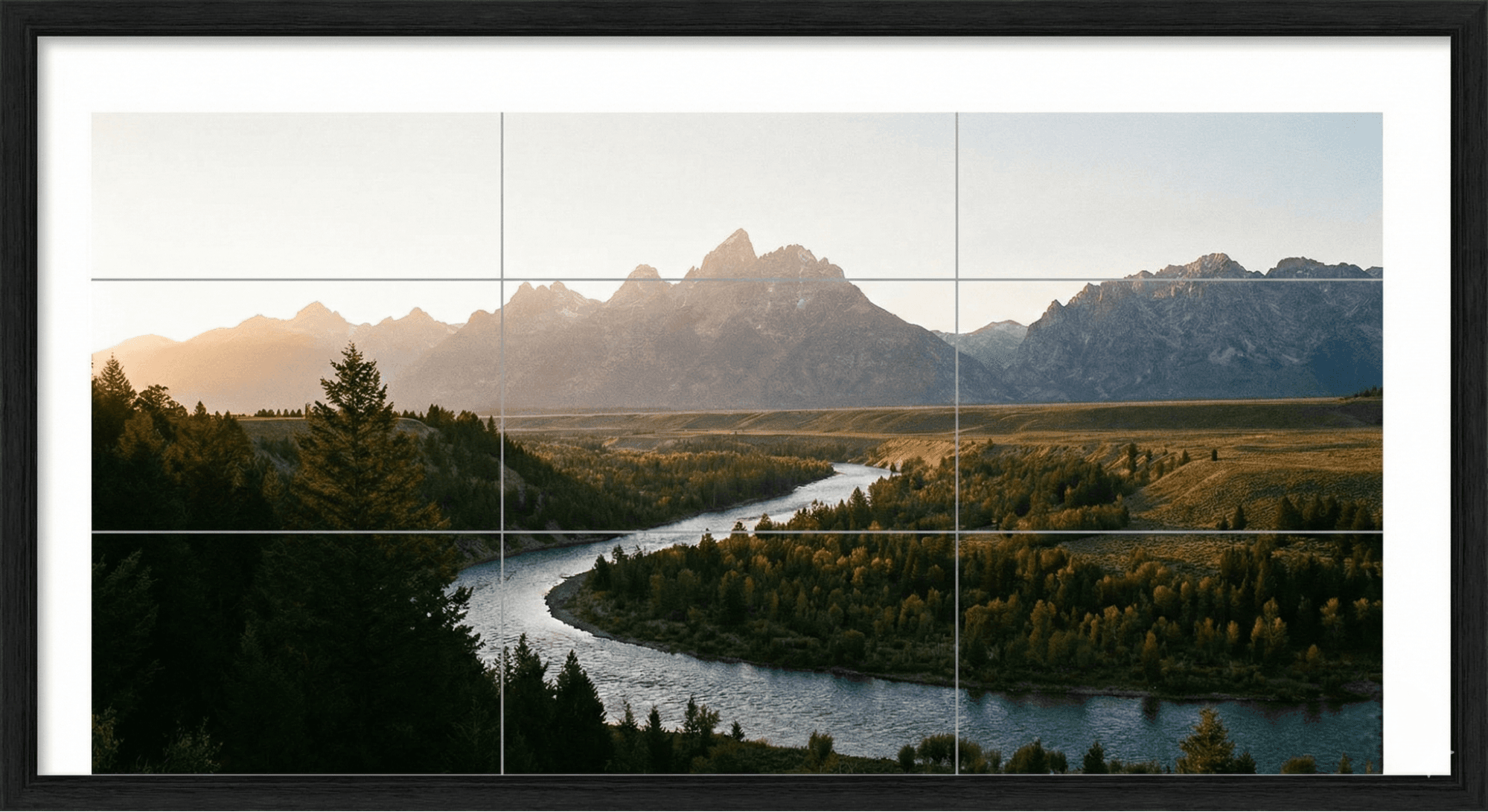
- Rule of Thirds: Imagine a tic-tac-toe grid. Place your subject where the lines intersect, not just in the center.
- Leading Lines: Use roads, fences, or rivers to guide the viewer’s eye toward the subject.
- Negative Space: Leave "empty" space around your subject to let the image breathe.
Real-World Use Cases
- Architecture: Use symmetry and patterns.
- Portraits: Align the subject’s eyes with the top horizontal line of the Rule of Thirds grid.
Beginner Tips
- Grid Lines: Turn on the "Grid" feature in your smartphone or camera settings immediately.
- Change Perspective: Don’t just shoot from eye level. Get low or climb high.
Pros & Limitations
- Pros: Creates visual balance and keeps the viewer engaged.
- Risks: Overthinking rules can make photos feel stiff; know the rules so you can break them.
Who Should Focus on This Skill?
Everyone. This is the most important skill for artistic growth.
6. Lighting
Brief Explanation
Photography literally means "drawing with light." Understanding the quality, direction, and color of light is crucial. It defines the mood, texture, and depth of an image.
Key Points
- Golden Hour: The hour after sunrise and before sunset. The light is soft, warm, and flattering.
- Hard vs. Soft Light: The mid-day sun creates harsh shadows (hard light). A cloudy day acts as a giant diffuser (soft light).
- Direction: Front lighting flattens a subject; side lighting creates texture and drama.
Real-World Use Cases
- Selfies/Portraits: Always face a window (soft light source). Never put the window behind you unless you want a silhouette.
- Product Photography: Soft, diffused light is essential to avoid ugly glare.
Beginner Tips
- Turn off the Flash: The built-in flash on cameras often looks terrible. Use natural light whenever possible.
- White Balance: This adjusts the color temperature of the light (cool blue vs. warm orange).
Pros & Limitations
- Pros: Good lighting can make a cheap camera look like a cinema camera.
- Risks: Bad lighting can make a model look tired (dark eye circles) or wash out colors.
Who Should Focus on This Skill?
Designers and Visual Storytellers. Understanding light helps in creating mood and hierarchy.
Related: What are the 7 Main Principles of Design?
7. Focus & Depth of Field
Brief Explanation
Focus determines what part of the image is sharp, while Depth of Field (DoF) refers to the distance between the nearest and farthest objects that appear acceptably sharp.
Key Points
- Focal Point: The specific spot your camera locks onto (usually the eyes in a portrait).
- Shallow DoF: Only the subject is sharp; the background is blurry (achieved with low aperture f/stop).
- Deep DoF: Everything from the foreground grass to the distant mountains is sharp (achieved with high aperture f/stop).
Real-World Use Cases
- Macro Photography: Requires precise focus because the Depth of Field is razor-thin.
- Group Photos: You need a Deeper DoF to ensure people in the back row are as sharp as people in the front row.
Beginner Tips
- AF Modes: Use "Single Point" AF for static subjects and "Continuous/Servo" AF for moving subjects.
- Focus Peaking: A feature on mirrorless cameras that highlights sharp edges in red or yellow—very useful for manual focus.
Pros & Limitations
- Pros: Directs the viewer’s eye exactly where you want it.
- Risks: Missing focus on the eyes ruins a portrait instantly.
Who Should Focus on This Skill?
Hobby photographers and mobile users.
Usability & Learning Tips
Mastering these 7 basics of photography does more than just improve technical quality; it changes how you see the world.
- Image Sharpness: Understanding shutter speed and focus prevents the frustration of blurry family photos.
- Visual Storytelling: Using composition and lighting allows you to convey emotion (e.g., a dark, moody photo vs. a bright, energetic one).
- Consistency: When you understand ISO and White Balance, your Instagram feed or portfolio looks cohesive, not chaotic.
- Manual vs. Auto: You don't need to shoot in Manual Mode 100% of the time. Aperture Priority or Shutter Priority are often faster and more efficient for professionals.
- Gear Myth: A $3,000 camera cannot fix bad composition or poor lighting. A photographer who understands these basics can take a stunning photo with a 5-year-old smartphone.
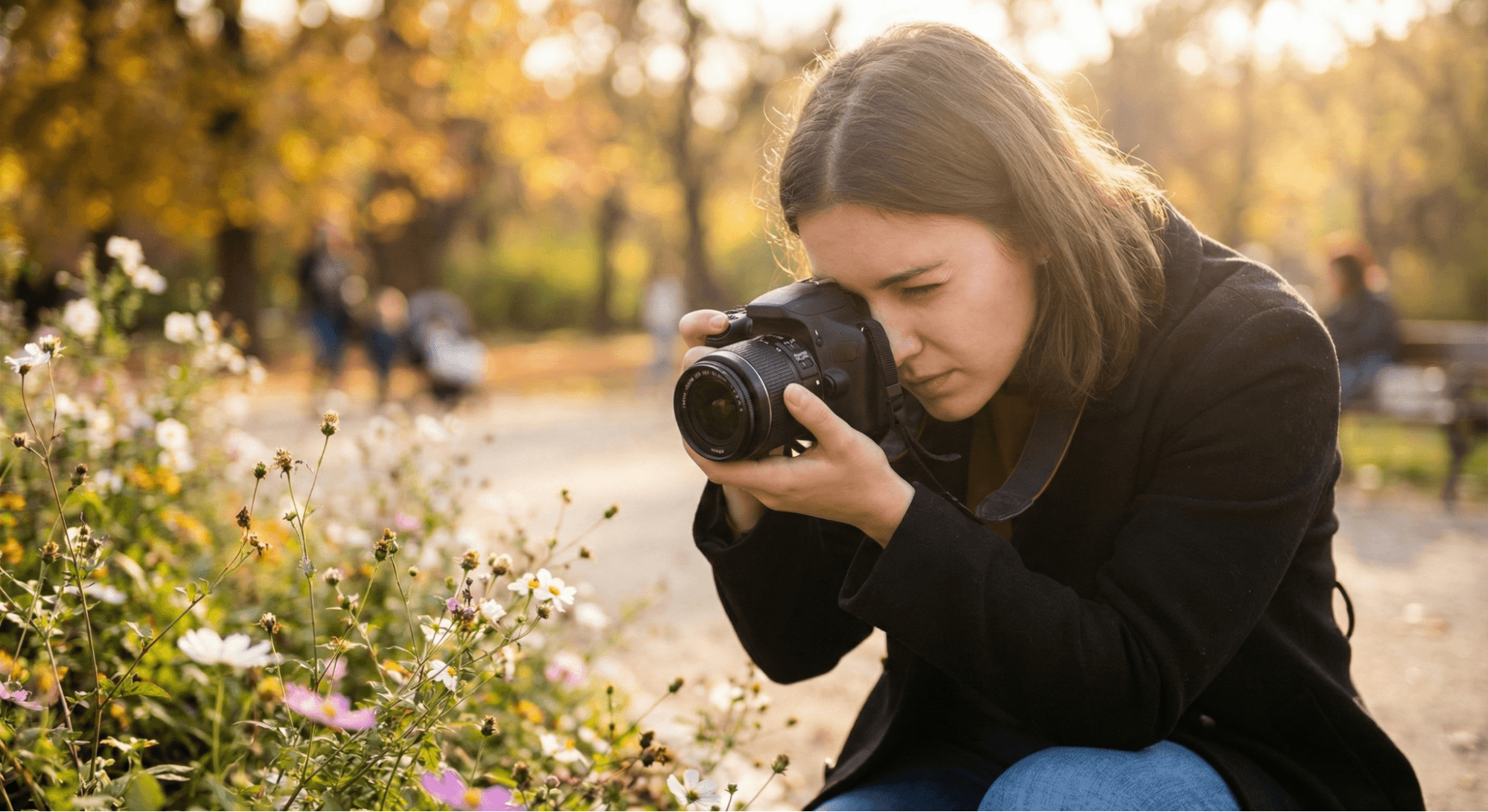
Image Suggestions (AI Prompts)
If you are creating visuals for this post, here are some optimized prompts:
- Photography Basics Overview: "Modern DSLR and smartphone camera setup on desk, exposure triangle visual overlay, clean educational style, soft lighting, 4K resolution."
- Exposure Triangle: "Photography exposure triangle illustration showing aperture, shutter speed, and ISO, clean infographic style, professional educational design."
- Composition & Lighting: "Rule of thirds grid applied to landscape photo, balanced composition, natural lighting, professional photography style."
- Beginner Photography Practice: "Beginner photographer practicing outdoors, camera in hands, natural light, shallow depth of field, realistic style."
Conclusion
The 7 basics of photography—Exposure, Aperture, Shutter Speed, ISO, Composition, Lighting, and Focus—work together like an orchestra. When balanced correctly, they create visual harmony.
Don't rush to buy the most expensive lens on the market. Instead, practice one concept at a time. Spend a day shooting only for composition. Spend the next experimenting with shutter speed. Whether you are shooting on a pro DSLR or the latest smartphone, these fundamentals are the key to unlocking your creative potential.
If visual inspiration helps shape your creative eye, platforms like Wallpezia can be useful for exploring aesthetics and styles.