Have you ever looked at a website or a poster and felt that something was just "off," even if you couldn't put your finger on what it was? Conversely, have you ever seen a design that felt effortless, professional, and satisfying to look at?
The difference usually isn't just talent—it’s the application of the7 Principles of Design.
Whether you are a seasoned graphic artist, a marketing manager, or someone simply trying to create a better presentation, understanding these core concepts is essential. They are the toolkit designers use to arrange visual elements into a cohesive, functional, and beautiful whole.
In this guide, we will break down the seven main principles—Balance, Contrast, Emphasis, Movement, Proportion, Repetition, and Unity—and show you exactly how to apply them.
1. Balance
Definition: Balance provides stability and structure to a design. It acts as the visual weight of elements. It doesn't mean everything has to be perfectly equal on both sides; rather, the visual "heaviness" of shapes, colors, and textures should feel stabilized.
Types of Balance:
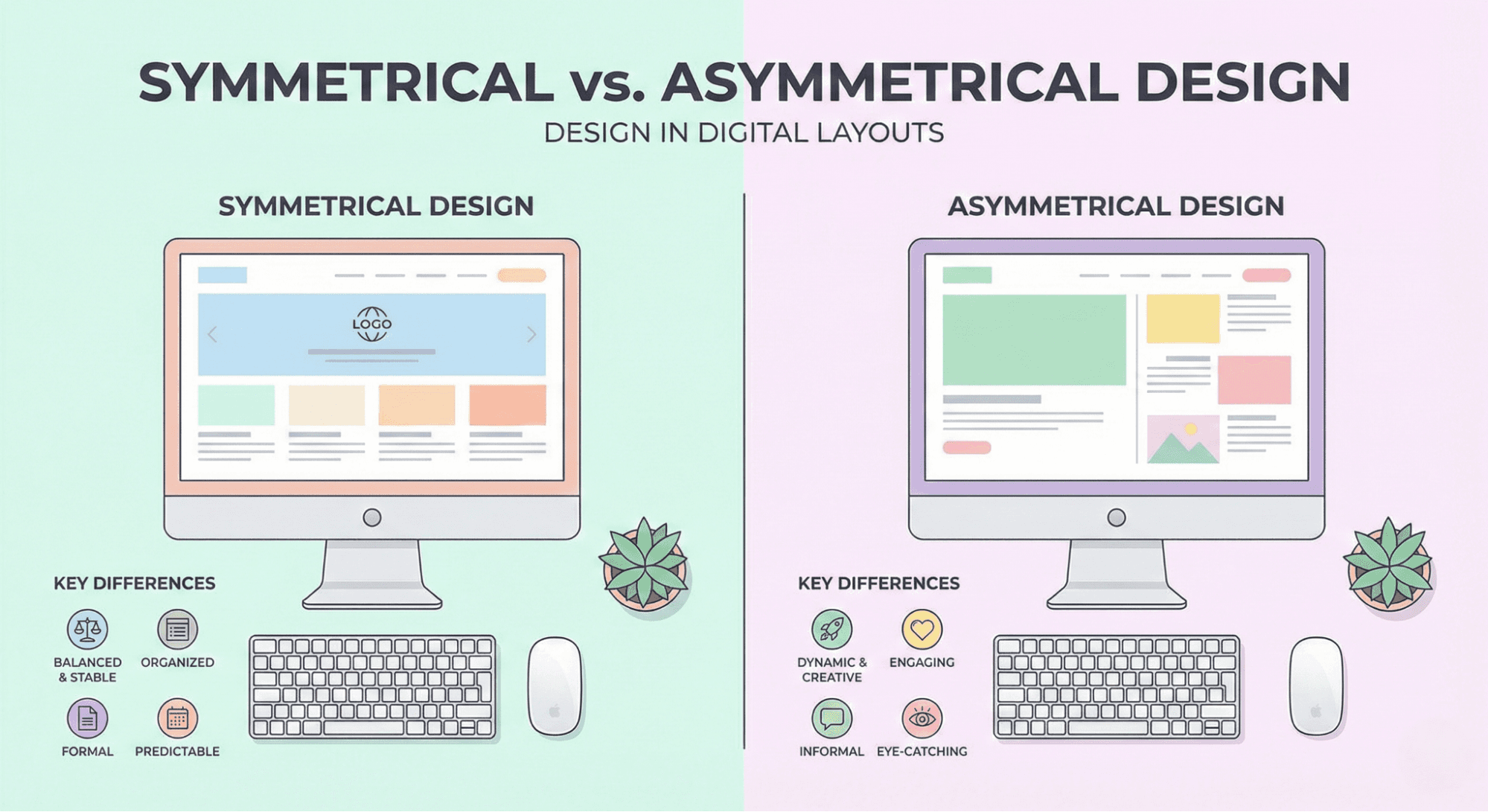
- Symmetrical: Mirror-image balance. This is formal and safe (e.g., a wedding invitation).
- Asymmetrical: Different elements with equal visual weight. This is dynamic and modern (e.g., a large image on the left balanced by a block of text and a button on the right).
Practical Example:
Think of a homepage. If you have a "heavy" dark image on the left, you might balance it with a large headline and a bold "Sign Up" button on the right.
Common Mistake:
Leaving too much white space on one side while cluttering the other, making the design feel like it is "tipping over."
2. Contrast
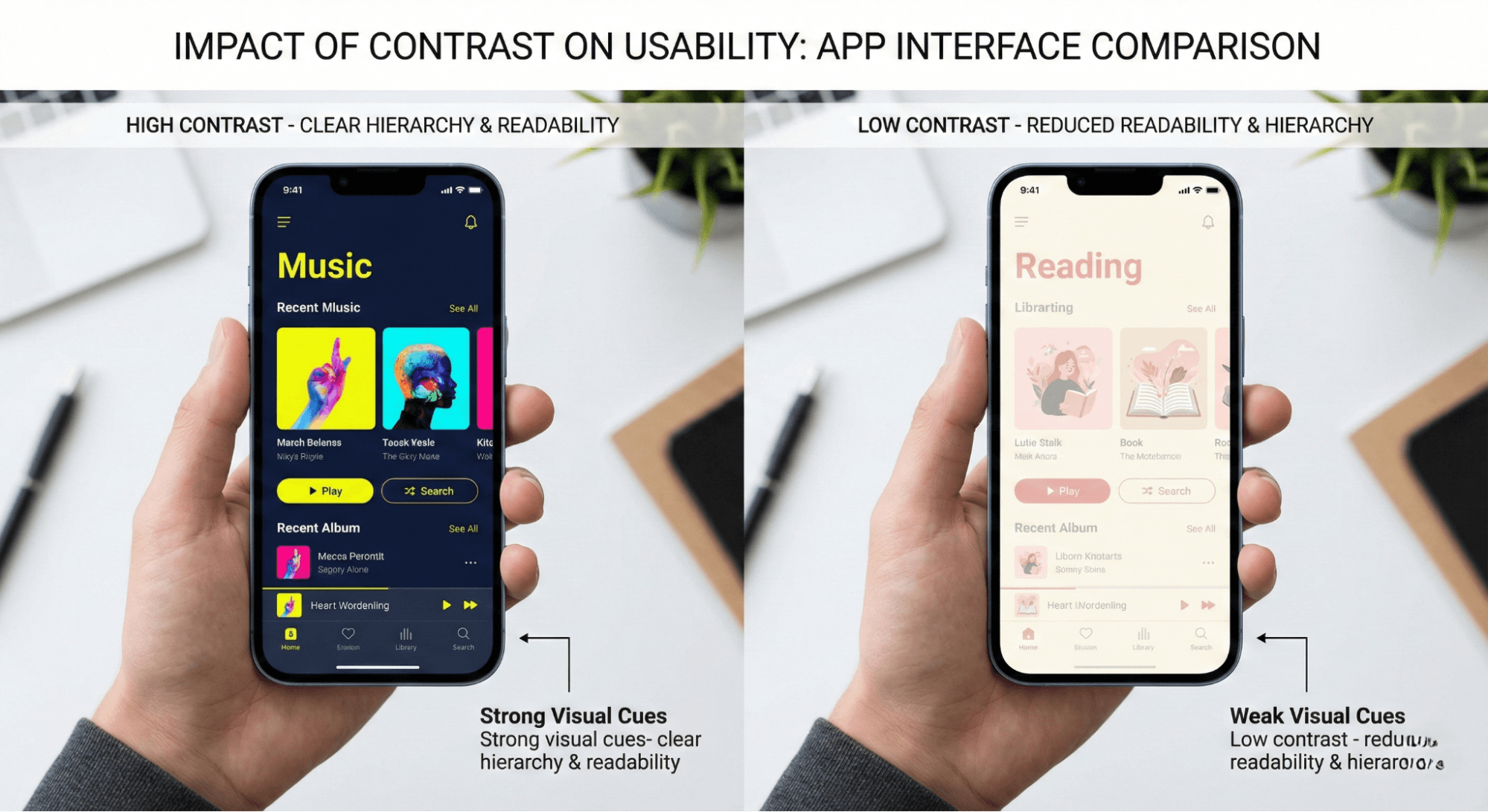
Definition: Contrast is the difference between two or more elements in a composition. It is what makes an element stand out and grabs the viewer's attention.
How to Use It:
You can achieve contrast through color (black vs. white), size (big vs. small), or shape (round vs. square). Contrast is vital for readability—dark text on a dark background is a design nightmare.
Tip for Beginners:
When layering elements, clarity is key. If you are placing a logo or icon over a busy background, you need to understand How to Use PNG Images in Your Projects? to ensure transparent backgrounds and sharp contrast keep your design crisp.
3. Emphasis
Definition: Emphasis is about creating a focal point. It tells the viewer, "Look here first."
Practical Application:
In a design, not everything can have equal importance. If your logo, headline, image, and footer are all screaming for attention, the viewer will be overwhelmed.
- Websites: The "Call to Action" (CTA) button is usually the point of emphasis, often styled in a color that differs from the rest of the palette.
- Posters: The headline is usually the largest element.
Common Mistake:
Highlighting too many elements. If everything is emphasized, nothing is.
4. Movement
Definition: Movement refers to the path the viewer’s eye takes through the work of art, often to focal areas. Such movement can be directed along lines, edges, shape, and color.
Why It Matters:
Good design tells a story. You want to lead the user from the Headline -> Image -> Body Text -> CTA Button. You can create movement using directional lines, blurring, or arranging elements in a specific "F" or "Z" pattern layout.
Real-World Example:
A wallpaper design where swirling lines guide the eye toward the center of the screen, creating a sense of depth and flow rather than a static, flat image.
5. Proportion (Scale)
Definition: Proportion is the visual size and weight of elements in a composition and how they relate to each other. It helps define hierarchy.
How to Apply It:
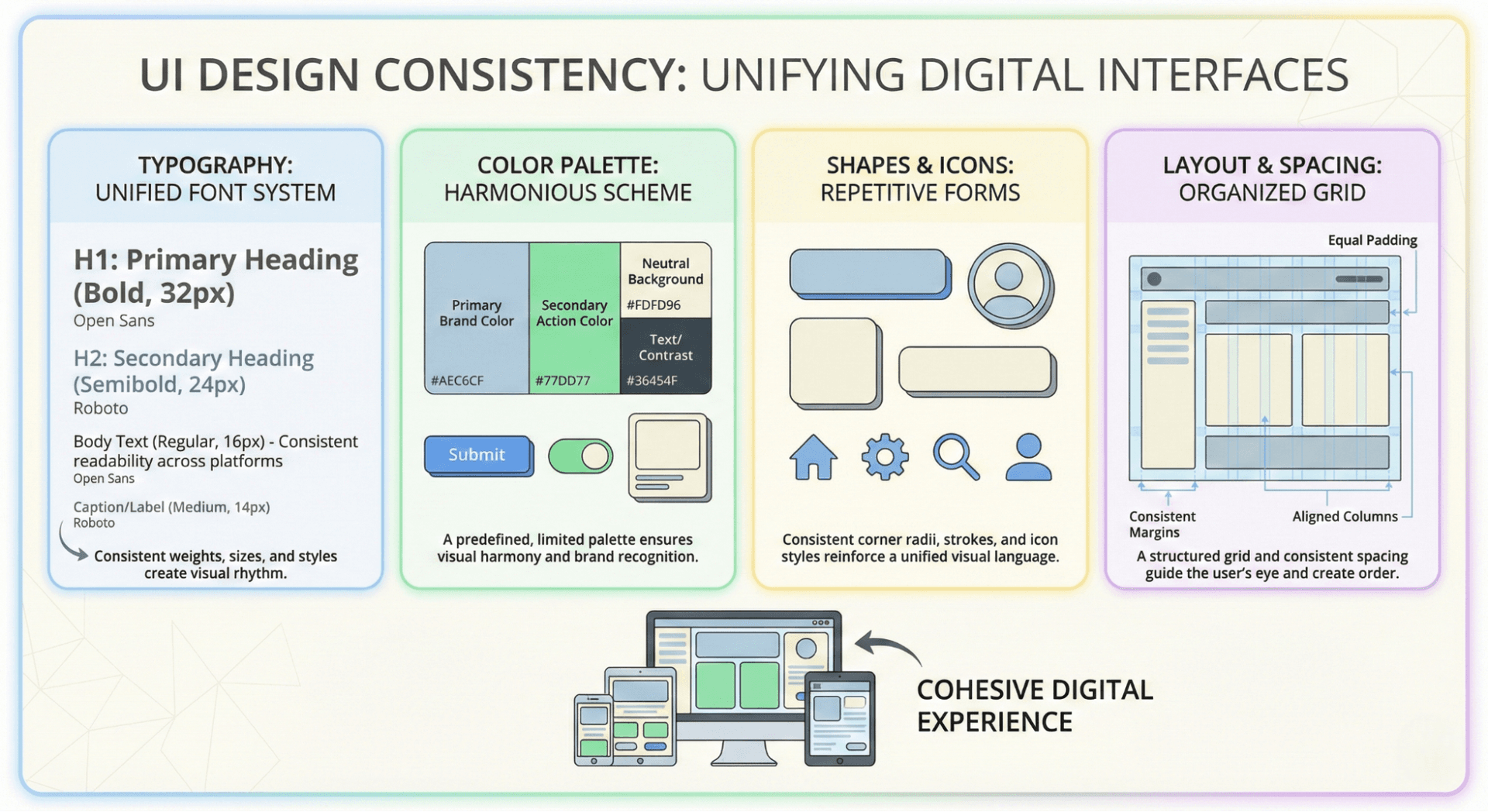
Larger elements are perceived as more important. By grouping related items and sizing them appropriately, you help the user process information quickly.
- Headings: 30px font.
- Subheadings: 24px font.
- Body Text: 16px font.
Mastering this hierarchy is a fundamental skill. If you are curious about how professionals juggle these tasks daily, you might want to read What Does a Designer Do? A Comprehensive Guide to Roles, Responsibilities, and Skills.
6. Repetition (Pattern)
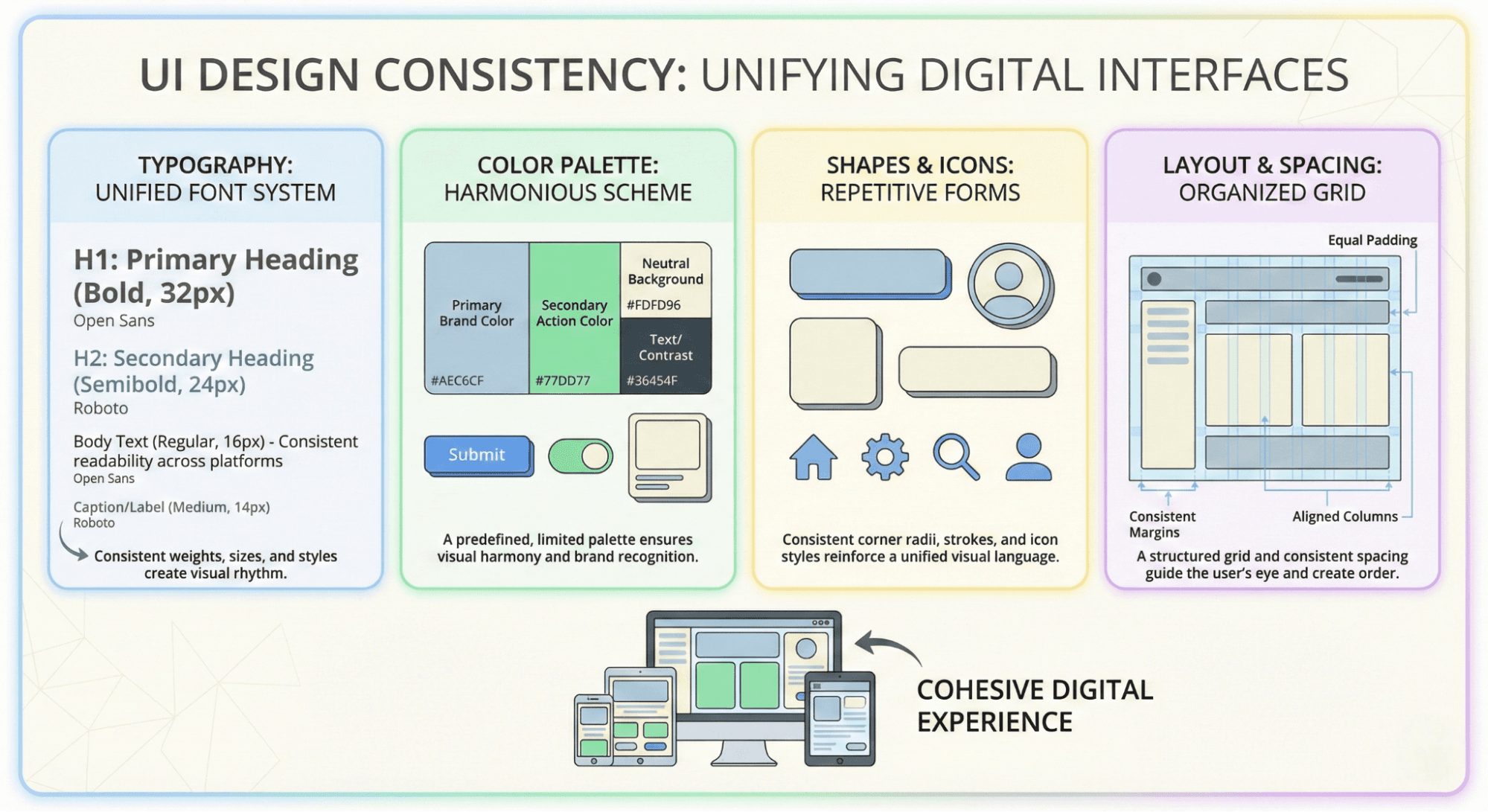
Definition: Repetition strengthens a design by tying together individual elements. It helps to create association and consistency.
Practical Example:
- Branding: Using the same font, color palette, and logo placement on every page of a website.
- UI Design: Ensuring all buttons have the same corner radius and hover effects.
Why It Works:
Repetition creates a sense of reliability. If the navigation menu moves to a different spot on every page, the user becomes confused. Consistent repetition creates a "brand language."
7. Unity
Definition: Unity creates a sense of harmony between all parts of the work. The design feels "complete" because the elements belong together.
How to Achieve Unity:
- Proximity: Group related items together.
- Alignment: Ensure elements are aligned to a grid, not placed randomly.
- Consistency: Stick to a specific style (e.g., don't mix vintage clip-art with futuristic 3D renders).
Resource Tip:
To maintain unity, you need high-quality assets that match your theme. Whether you are looking for specific textures or icons, it is important to know Commercial License Explained Simply so you can use assets safely in your unified design.
Technical Details: Usability & User Experience (UX)
While these principles make things look "pretty," their primary job isfunctionality.
- Clarity: Good contrast and proportion make text readable.
- Navigation: Movement and emphasis ensure users know where to click.
- Trust: Repetition and unity make a brand look professional and trustworthy.
Tools to Practice:
- Canva: Great for beginners to test balance and templates.
- Figma: Industry standard for UI/UX and practicing grids/alignment.
- Adobe Illustrator: Best for creating vector shapes and manipulating proportion.
Conclusion
The 7 principles of design—Balance, Contrast, Emphasis, Movement, Proportion, Repetition, and Unity—are more than just rules; they are the language of visual communication.
By consciously applying these concepts, you can transform a chaotic layout into a polished masterpiece. Whether you are designing a mobile app, a marketing flyer, or just organizing your living room, these principles apply.
Start by looking at your current projects. Is there a clear focal point? Is the text readable against the background? Are the elements balanced? Small tweaks using these guidelines can lead to massive improvements in quality.
Ready to find inspiration for your next project? Explore the extensive collection at Wallpezia to see these principles in action.
@All assets in this blog are sourced from Wallpezia